

1. Home
  2. Owner review on the iPad
Owner review on the iPad

Review the estimate from the couch

The 3D model and every line item, on the iPad. Tap a line to see the quantity behind it and how the yards were figured. Owners and PMs view free.

What the owner sees

The whole job, not a spreadsheet.

Most owners get the estimate as rows of numbers and have to trust where the yards came from. In Excav the owner opens the same job the estimator built: the ground in 3D, every bid item, and the math behind each quantity.
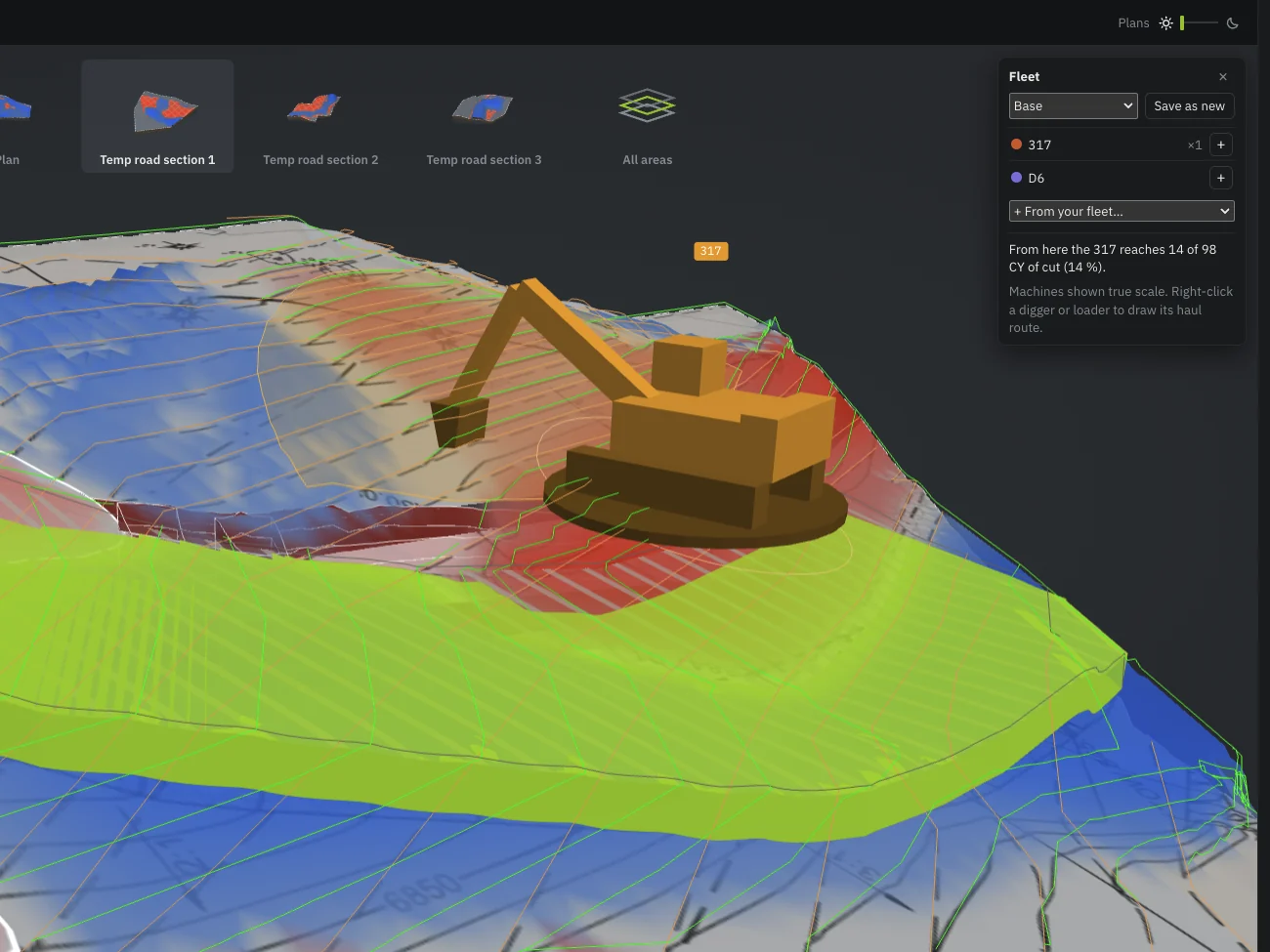
Excavator placed at true scale on the cut and fill surface, with the fleet panel
Set up in a few minutes

How owner review works

The estimator invites the owner

From Company → Team, invite the owner or PM by email as a viewer. Viewers are free.

The owner opens it on the iPad

Sign in with Google or an emailed link in Safari, then add Excav to the home screen.

Review the job in 3D

Turn the model, see the cut and fill, and move the machines with a finger.

Tap any line item

See the quantity behind it and how the yards were figured: the area, the depths, the layers and the factors.

Nothing to install

Open it and go. Easy on the eyes.

  • In your browserChrome or Edge, Windows or Mac. Works on the truck laptop.
  • On the iPadAdd it to the home screen and it opens like an app.
  • No CAD, no add-onsThe PDFs you already get are enough.
  • Dark modeSave your eyes on late-night takeoffs. Plans and 3D on black, not a glaring white screen. Light mode is one tap away.
Questions

About owner review

Does the owner need a paid seat?

No. Owners, PMs and field people who only look are viewers, and viewers are free. Seats are for people who edit.

Can a viewer change the estimate?

No. Viewers can open jobs, turn the 3D model, tap line items and export quantities, but they can’t edit anything. The estimator stays in control of the numbers.

Is there an app to download?

No download. Open Excav in Safari on the iPad and add it to the home screen. From then on it opens full screen, like an app.

Does it work on a laptop too?

Yes. The same review works in Chrome or Edge on any recent Windows or Mac computer.

See how every yard is calculated, or pricing.

Open the sample job.

14 days, every Takeoff tool, a finished job in 3D. No card.

Excav Bid, with prices built from your crews, machines and quotes, is on the way. Get a note when it opens.
